

Implant Planning Software
& Surgical guide creation

Implant 3D Software
Implant 3D is the software that allows you to perform 3D implant simulation directly on your PC.
The software allows the user to simulate the position of implants on two-dimensional and three-dimensional models,
identify the mandibular canal, trace panoramic views and sections of the bone model, view the three-dimensional bone model
and calculate bone density. With Implant 3D, the Dentist can plan implant-prosthetic surgery safely, efficiently and quickly.

- 150 implant manufactures
- Open System
- 20,000+ implant cases made with Implant 3D
- CAD Integration
With a few clicks of the mouse you can obtain an extremely precise and customized surgical guide. Simply by selecting the edge of the surgical guide and the type of sleeves to use, the software generates the STL file ready to be printed with a 3D printer. Advanced features allow you to create inspection holes and add text to better identify the printed template. Implant 3D allows you to export the perforated model for analogs based on the used implant system and the size of the analogs.

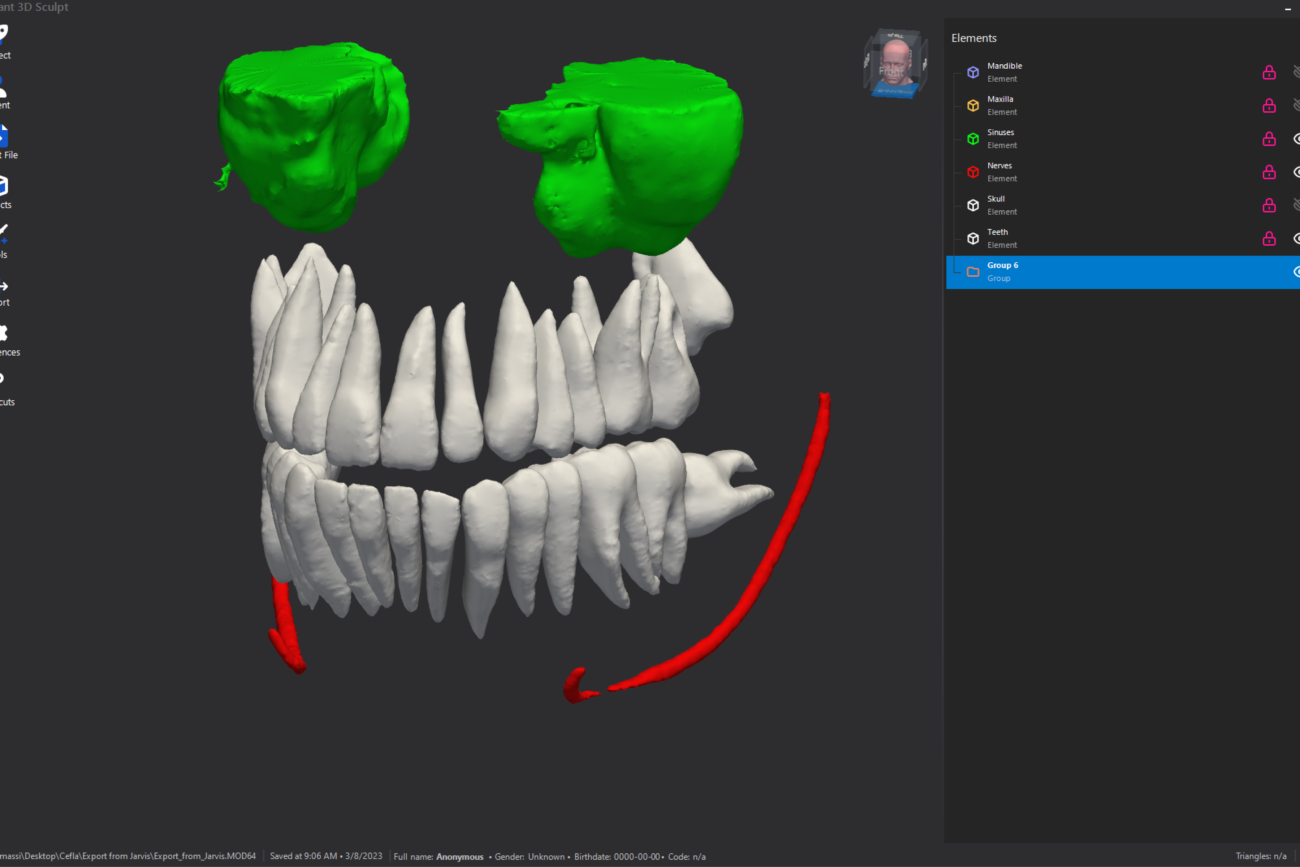
Artificial Intelligence (AI) has become an increasingly utilized technology in many sectors, including dental medicine. In particular, the use of AI in dental segmentation with Implant 3D software, called Jarvis, has brought numerous advantages. Firstly, Implant 3D Jarvis software uses AI algorithms to analyze dental radiographic images and automatically segment the various parts of the mouth, such as teeth, jaw bones, sinuses and mandibular nerves. This allows for a clearer and more detailed view of dental structures and the creation of precise 3D models.




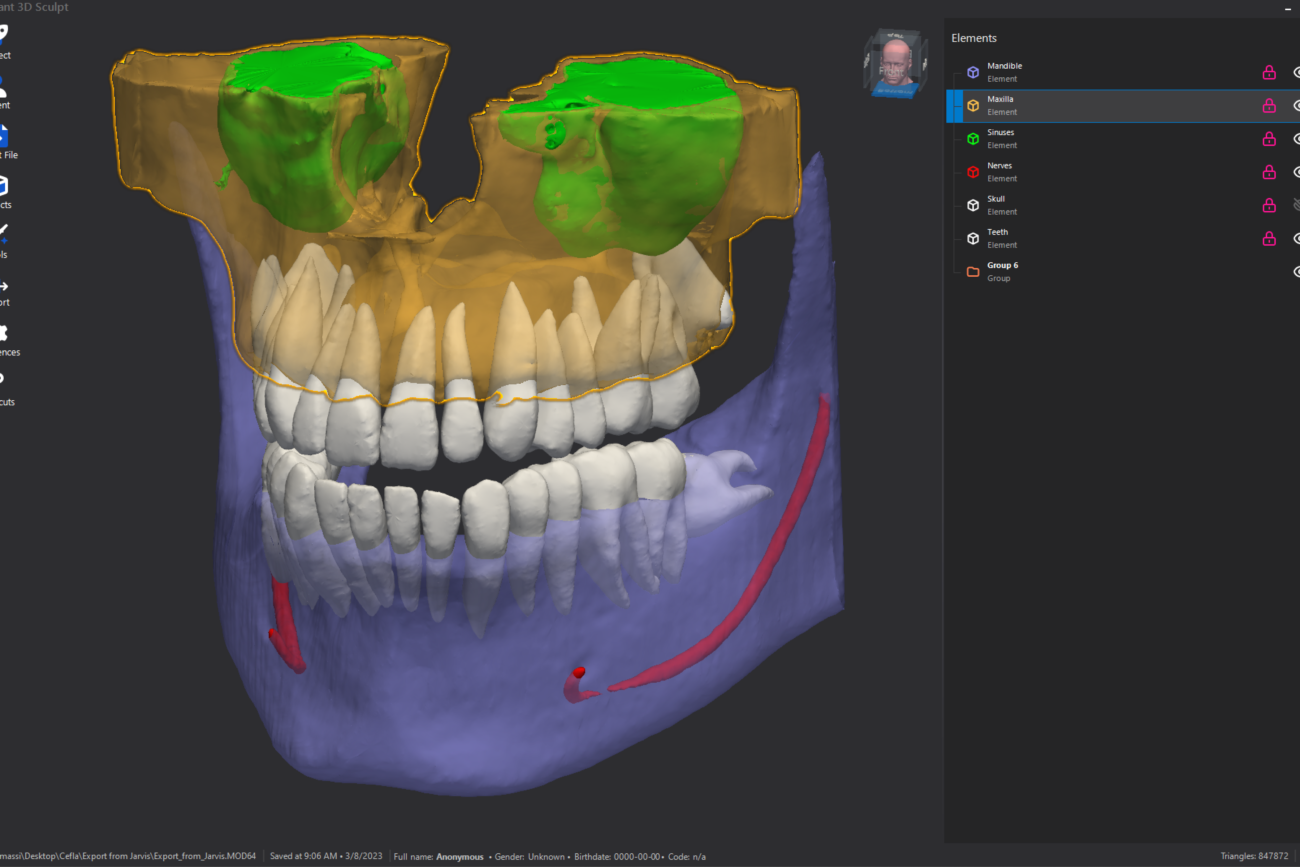


Sculpt Add-on
Sculpt Add-on
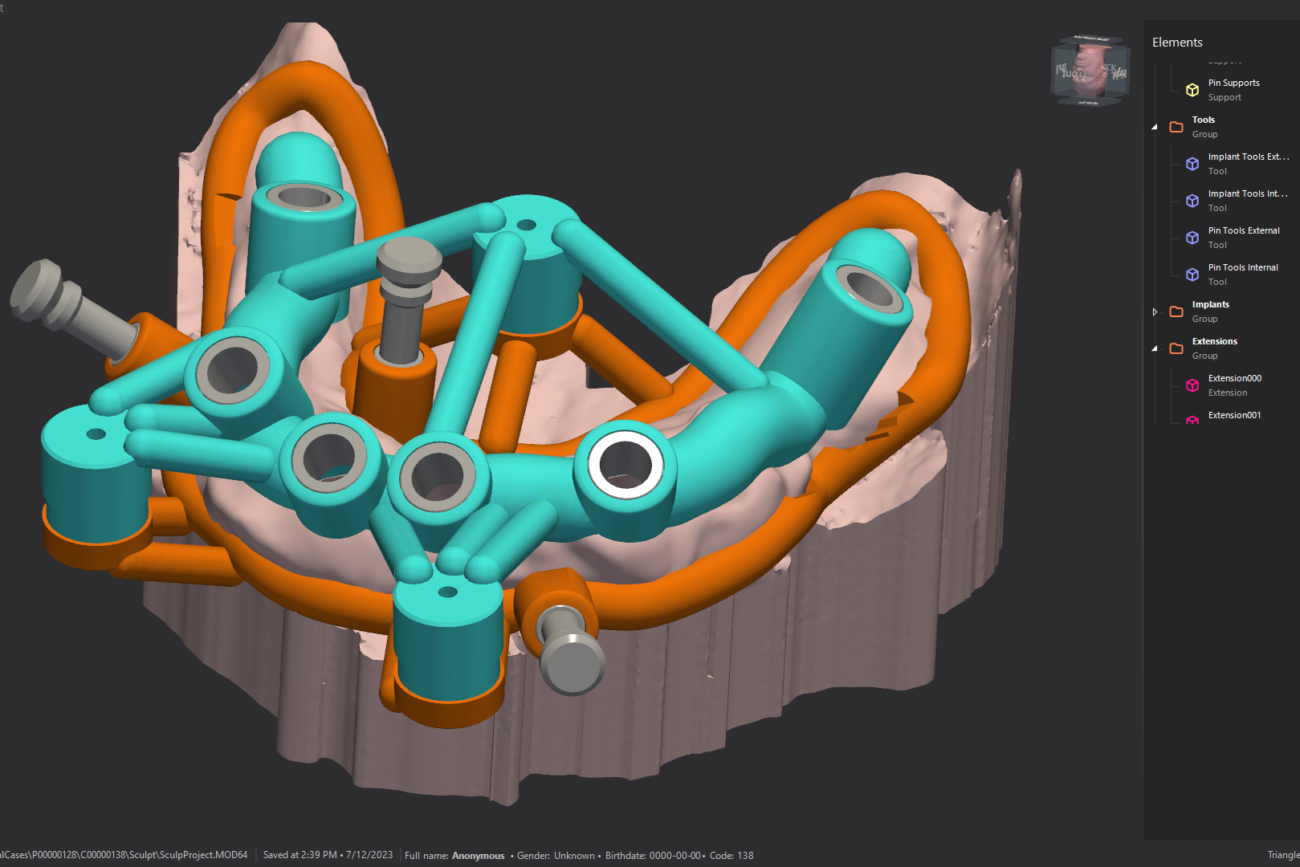
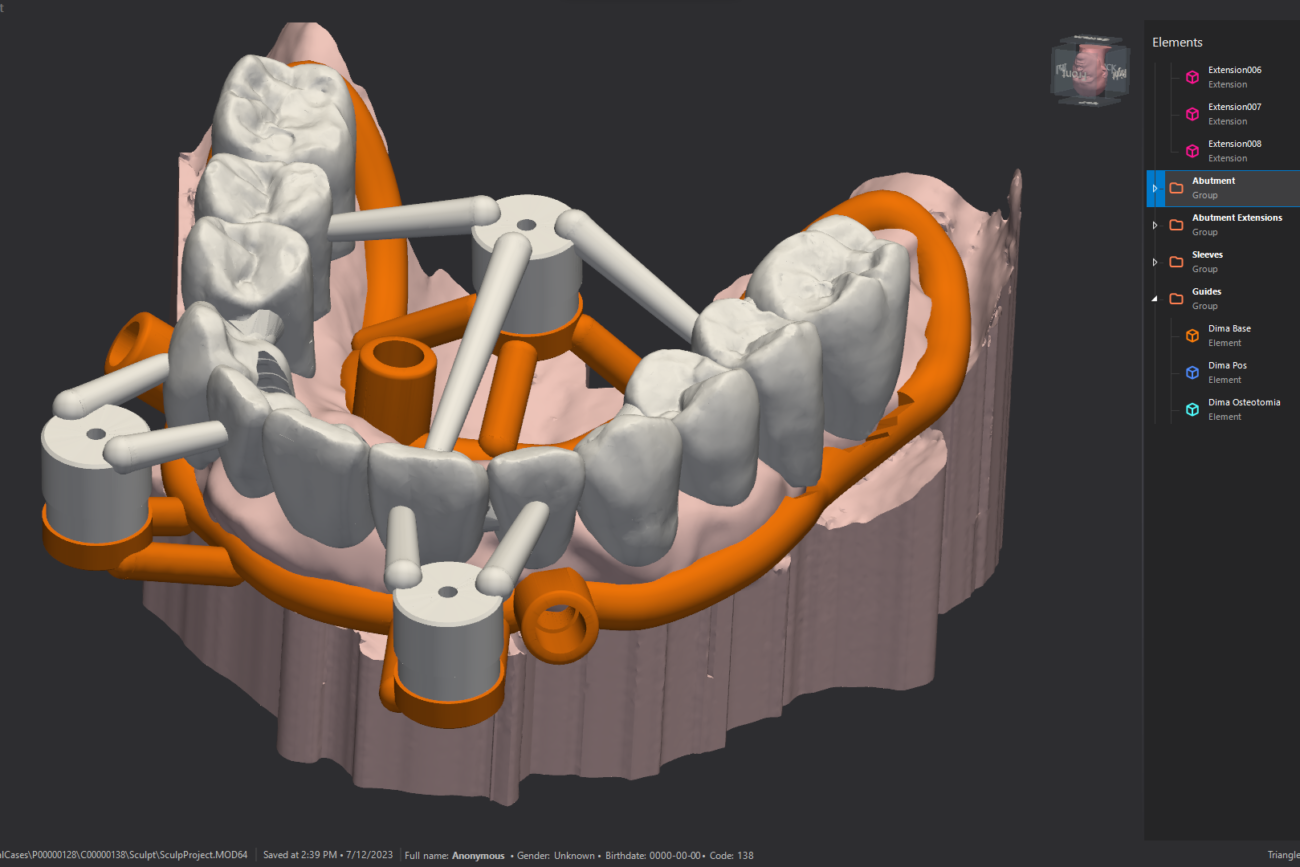
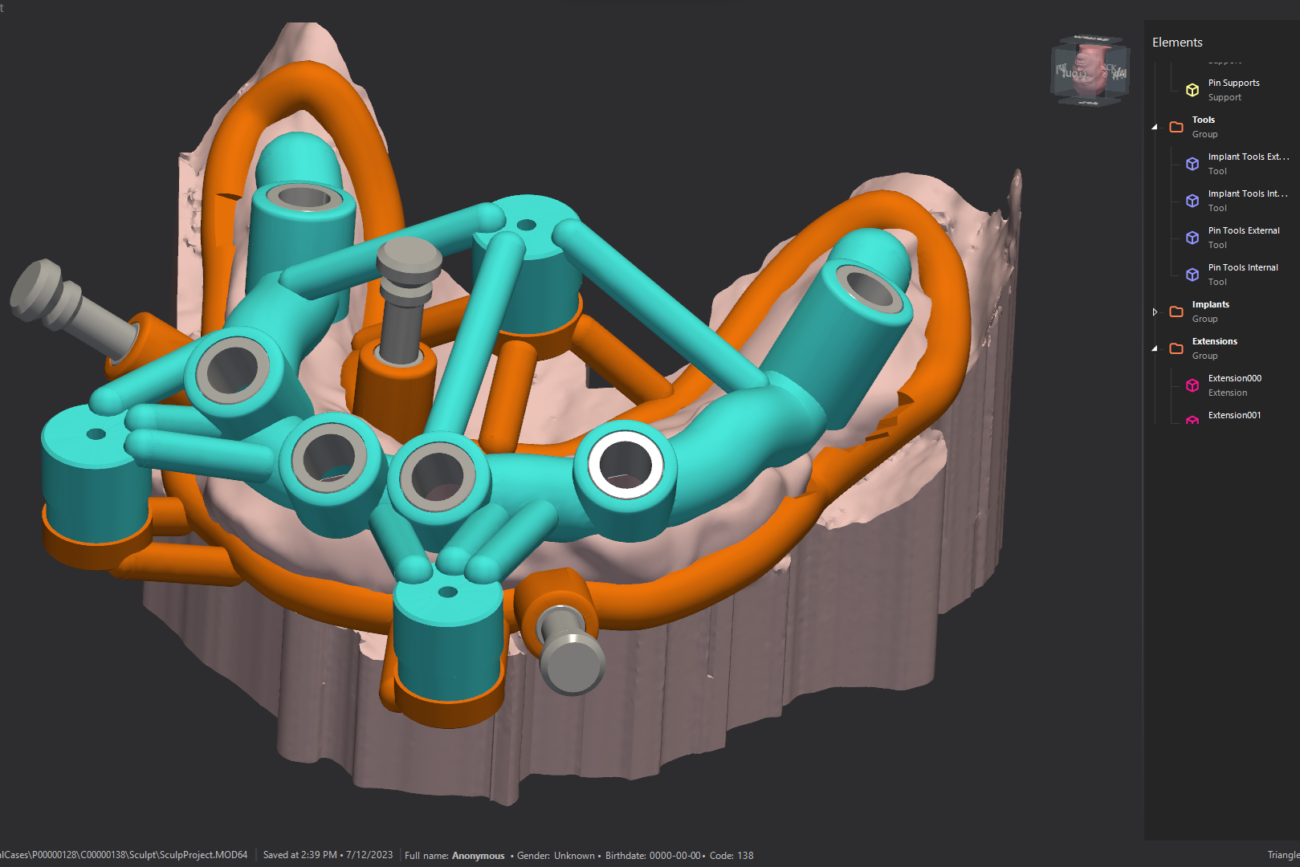
The Sculpt add-on module allows you to design stackable guides such as for zygomatic implants and apical resections, and to use many additional 3D modelling features.
Jarvis Add-on
Jarvis Add-on
The additional Jarvis artificial intelligenceHypsocad Integration module allows you to automatically segment dental structures, eliminating potential human errors and ensuring greater precision and reliability in the segmentation.
Holodent Add-on
Holodent Add-on
The Holodent add-on module projects dentistry into the future with a new way of visualizing clinical cases. Holodent allows you to view implant cases created with Implant 3D in the form of a hologram in your surrounding space.
Hypsocad Integration
Hypsocad Integration
The best of CAD, with the least of effort. Hypsocad is the first on-demand dental CAD system for dental technicians, offering an optimized work-flow thanks to its integration with Implant 3D.
Implant 3D Plan
Start creating your surgical guide today
UNLIMITED
Unlimited guided surgery- Implant 3D Guide software included
- Jarvis add-on included
- Sculpt add-on included
- Free software upgrades
- Free software tutorials
- E-mail Software Support
- Unlimited Diagnostic Cases
- Unlimited Number of STL File Export
The Unlimited plan is a yearly subscription and the cost of the renew plan is € 1250 for the following years. You can cancel the subscription at any time. Included is the Sculpt add-on for stackable guides and the Jarvis add-on for artificial intelligence. While the holodent and hypsocad integration modules are excluded. It is possible to sign an techincal support agreement and arrange individual or collective training courses (paid services).
Download Implant 3D Software
Testimonials

“We started in the early 2000s, when implants could be studied in 2D environment only. Clinical experience and our ambition, merged with Medialab’s computer knowledge and digitization, have made it possible to create excellent software, devices and protocols, specifically designed for the user”

““The Implant 3D software is an excellence in the modern digital dental flow. The prosthetically guided implant technique is easy to perform with the software. All protocols are executable. Double scan, WimKo protocol, Polizzi protocol, STL, Dicom.”

“The quality of the Implant 3D software is great, but what really impressed me was the after-sales support. They exceeded my expectations and made the overall experience extremely positive.”

“I have never had dealings with a company with such attentive after-sales service. They are always ready to assist you and are extremely helpful in finding solutions. I highly recommend them.”

“I was very satisfied with the after-sales service. They answered my questions promptly and guided me step by step through the training. Excellent work!”

“The technical support team is highly competent. They showed great patience in resolving my doubts and ensured that I was completely independent in using the Implant 3D software.”

“The potential of the Sculpt module of Implant 3D allows me to perform numerous operations in the 3D dental field that other software does not allow me to do. I am really satisfied with my purchase!”

“Creating a surgical guide is really simple and with just a few hours of training I was able to be do in on my own, with results beyond my expectations. I highly recommend all my colleagues purchase it!”

“The continuous evolution of technology often goes hand in hand with the difficulty of applying the technology itself. However, it seems that this concept simply does not apply to the Implant 3D Guide software, thanks to its innate user-friendliness. The parameters of precision and accuracy have been known for some time, and the predictability of the result is now a constant in personal professional practice, albeit with always careful control of the man over the machine.”

“Medialab is a dynamic and continually growing company. The development of new applications, for both diagnostics and implant surgery, together with the recent development of artificial intelligence applied to dental practices, places it in a leading positioning among companies in the sector, both in Italy and around the world. The Implant 3D software and the Sculpt module, which offers the possibility of creating stackable guides, are truly the best!”

“I can’t say enough about the quality of customer support provided by the team behind this software. I found them to be very helpful in answering questions and solving problems.”